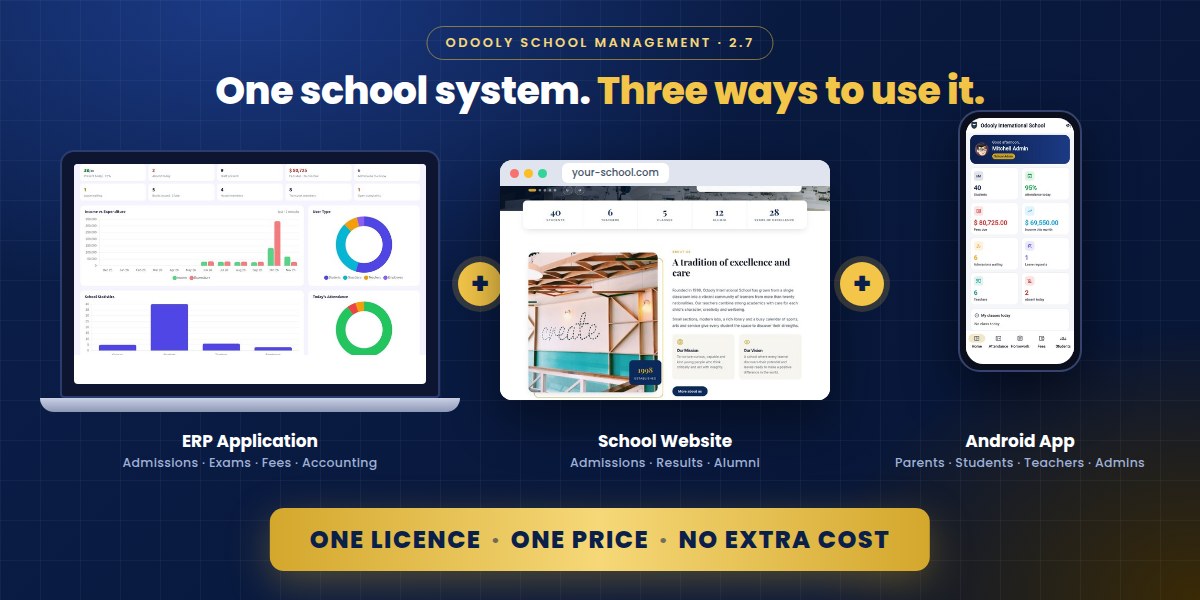
Parents follow attendance, results, fees and homework; students see their routine and submit work; teachers take attendance and enter marks; admins and accountants handle admissions, dues and collections. It talks straight to the school's own Odoo, so everyone signs in with their usual login and sees only what their role allows.
These screenshots come from the live demo server. Swipe through them, or tap one to see it full size.
The app follows the School roles (admin, accountant, teacher, front office) and the parent / student portal links, and the features switched on in the School Control Panel. One install covers the whole school.
Works with Odoo 18, 19 and 20, Community and Enterprise, on your own server or Odoo.sh.
Install odooly_school_management (version 2.7 or newer) on your Odoo. The app's API is built in.
Download the APK above, or scan the QR code with each phone.
Type your Odoo address, for example erp.myschool.com. Pick the database if you have several.
Staff sign in with their Odoo login; parents and students with their portal login. Users with two-factor login can use an Odoo API key instead.
Install the app and sign in to our demo server with any of these logins. Each one shows a different role. The demo data resets every hour.
https://erp.odooly.comschool.parent@demo.odooly.com / demoschool.student@demo.odooly.com / demoschool.teacher@demo.odooly.com / demoschool.accountant@demo.odooly.com / demoschool.admin@demo.odooly.com / demoThe app comes with School Management, on as many phones as you like. This is all you need on your server.
| School Management System odooly_school_management |
Includes the app |
No. The ERP application, the school website and the Android app are one licence at one price. The app is free to download and use on as many phones and for as many users as you like; your server needs Odooly School Management 2.7 or newer.
Yes. A School Admin switches features on or off in the School Control Panel (for example fees, homework or the parent portal). The "Mobile App" switch turns the app off for the whole school.
Only in your Odoo database. The app talks directly to your Odoo server over HTTPS; nothing passes through Odooly. See the privacy policy.
The app needs a connection to your Odoo server over Wi-Fi or mobile data.
The app is available for Android today. Contact us at [email protected] if you need iOS.
Yes, we can publish a white-label build under your school's name and crest. Contact us at [email protected].