Job cards, inspection photos, technician timer, live board, KPIs, parts requests and signed vehicle delivery, all on the phone. It talks straight to your own Odoo, so there is nothing new to learn and no data leaves your server.
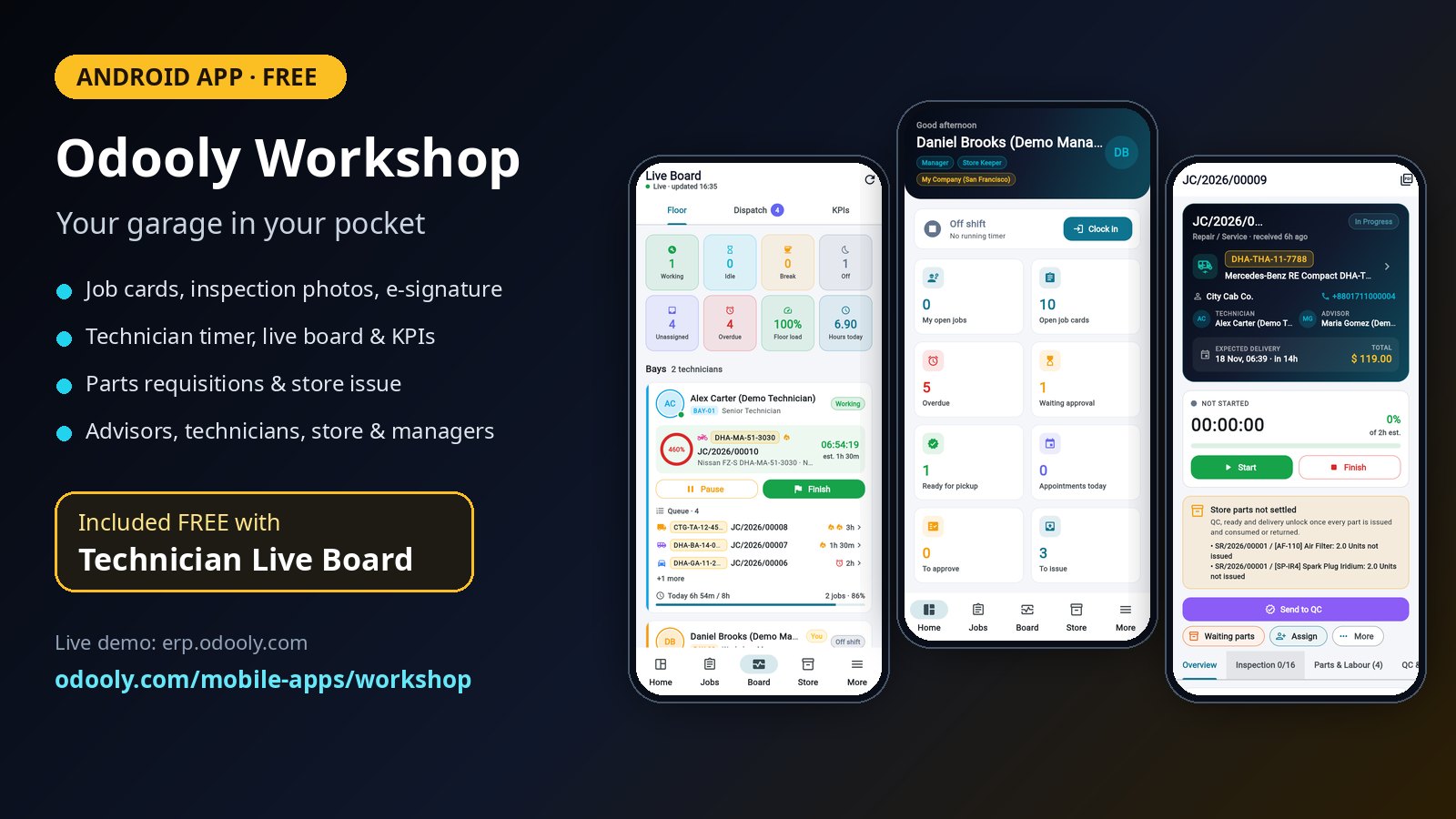
These screenshots come from the live demo server. Swipe through them, or tap one to see it full size.
The app reads each user's Odoo access rights and shows only what that person needs. One install covers the whole workshop.
Works with Odoo 18, 19 and 20, Community and Enterprise, on your own server or Odoo.sh.
Install odooly_technician_live_board and the free odooly_vehicle_job_card_api. Vehicle Service is installed with them.
Download the APK above, or scan the QR code with each phone.
Type your Odoo address, for example erp.mygarage.com. Pick the database if you have several.
Each person signs in with their usual Odoo login. Users with two-factor login can use an Odoo API key instead.
Install the app and sign in to our demo server with any of these logins. Each one shows a different role. The demo data resets every hour.
https://erp.odooly.comadvisor@demo.odooly.com / demotechnician@demo.odooly.com / demostore@demo.odooly.com / demomanager@demo.odooly.com / demoBuy Technician Live Board; everything else in this list is free or comes with it.
| Technician Live Board odooly_technician_live_board |
Paid · includes the app for free |
| Vehicle Service (job cards) odooly_vehicle_job_card |
Required |
| Workshop Mobile API odooly_vehicle_job_card_api |
Free · connects the app |
| Store Requests odooly_store_requisition_consumption |
Optional · parts requests |
| Job card ↔ store bridge odooly_vehicle_job_card_requisition |
Free · optional |
Yes. When you buy Odooly Technician Live Board you can use the app and the mobile API module free of charge, on as many phones and for as many users as you like.
Only in your Odoo database. The app talks directly to your Odoo server over HTTPS; nothing passes through Odooly. See the privacy policy.
The app needs a connection to your Odoo server. Wi-Fi in the workshop or mobile data both work.
The app is available for Android today. Contact us at [email protected] if you need iOS.
Yes, we can publish a white-label build under your name. Contact us at [email protected].